Popular posts from this blog
How to do port forwarding on Dialog 4G router
Having problem with playing multiplayer games, using FileZilla? Don't worry, because most of the time the problem is with block port on your router. That is why we need to do port forwarding. Now you may think "How should I configure it?Is that hard? " , No. It will only take five minutes. Just follow my steps. I am going to port forward to use my FileZilla as a example. You may have heard of it. FileZilla comes under FTP(File Transfer Protocol >> Port number = 21 ). So lets do port forwarding. Step 01: Assign a Static IP to your computer Open your Command Prompt and type " ipconfig " and press Enter. Note down your IPV4 Address, Subnet Mask and Default Gateway . Now go to Control Panel -->> Network and Internet -->> Network and Sharing Center Press Change adapter settings on the left side bar. Now right click on your LAN or wireless connection and go to Properties. On the pop-up menu select Internet Protocol Version 4(TCP/IP...
How to Change Dialog 4G Broadband router wifi Password
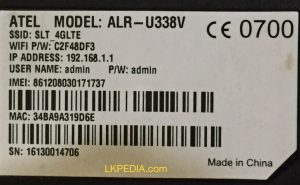
Router is a network device that connect you to the internet.Dialog 4G Home Broadband service expanding their coverage throughout the Sri Lanka. So many of you can have this question. "Is there someone else know my WiFi password? using my WiFi?" The best possible answer to this is to change your WiFi password occasionally. SO the next question is "How do I change my WiFi password?". Changing your WiFi password isn't a big deal. It is very simple task for a technical person. But not everyone got technical knowledge. So this guide is for the ones who need help with changing their WiFi password. Just simply follow these steps to change your WiFi password. Step 01: Find your router IP address, Username and Password.(Default IP address is 192.168.8.1). You can find them under your router. This IP address and User name common for all Dialog 4G routers. But if your using different kind of a router, most of the time you can find it under your router or behind i...

Comments
Post a Comment